
Your terminal.
On your wrist.
Live tmux output on Apple Watch. ANSI colors. Instant notifications. One command to set up.
augustbenedikt — tmux a — 120×30
›build.log | npm run release-checks🔔
~ — -zsh
~ — tmux a
+
└─ [main ffed100] Pixel-match watch display to reference screenshot
1 file changed, 37 insertions(+), 65 deletions(-)
To https://github.com/beneaug/tmuxonwatch.com.git
7759159..ffed100 main -> main
● Pushed successfully. Vercel will auto-deploy from the main branch. The latest WatchScreen.tsx now includes every element from your reference screenshot:
– ✻ Worked for 7m 31s — with the exact ✻ symbol
– [Image #17] [Image #18] — indented, muted
– (↑ to select) — dimmed hint
All using fluid clamp() font sizing for responsive scaling. The deployment should be live on tmuxonwatch.com within a minute or two.
✻ Cogitated for 3m 28s
● How is Claude doing this session? (optional)
1: Bad 2: Fine 3: Good 0: Dismiss
❯ the display in apple watch bezel on site is still wrong, the display is a div short. please ensure it is visually perfect and cohesive▊
►► bypass permissions on (shift+tab to cycle)
01:2.1.49*
19:25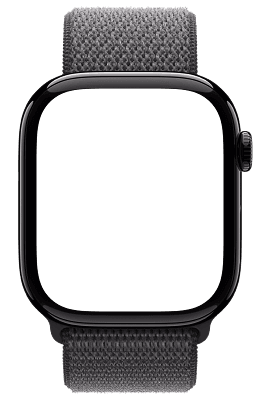
✻ Worked for 7m 31s
[Image #17] [Image #18]
(↑ to select)
› the display in apple watch bezel on site is still wrong, the display is a div short. please ensure it is visually perfect and cohesive█
►► bypass permissions
on (shift+tab to cycle)
Effortlessly elegant.
Always a glance away.
Install
Ready? One command.
Works on local network and trusted VPN setups
Requires macOS, Python 3.10+, and tmux